





Summary
Every assessment tells you up front how many attempts you get. This article covers where to find that number and what uses an attempt up. It also explains how to take another run, and why a reassessment is not the same thing as a retake.
Introduction
Some assessments let you try as many times as you like. Others give you a fixed number of attempts, and once those are gone your progress resets. Which one you are looking at is shown before you start, and it changes how carefully you should approach the first run.
This article is for learners. Everything here is visible from My Skills in your learning portal, on the screen you see before a quiz begins.
Key Concepts
- Attempt: One run at the quiz, from starting it to finishing or abandoning it.
- Attempts left: How many runs you have remaining on a limited assessment.
- Unlimited assessment: One with no cap on attempts, which you can take as often as you want.
- Give up: Leaving a session before finishing. On a limited assessment this uses an attempt.
- Reassessment: A second, separately assigned measurement of the same skills, taken after training. Not a retake.
Steps to Follow
Checking how many attempts you have
Open the assessment from My Skills and read the start screen before selecting Start test.
Alongside the number of questions and the minutes on attempt, a limited assessment shows attempts left. It also warns that the session counts as one attempt, and that after your failed attempts are used up your progress will reset.
An assessment with no cap says so directly: it has no attempts limit and you can take it as many times as you wish.
Note: Read this screen every time. Two assessments assigned to you can have completely different rules, and the number of attempts is not something you can change once you have started.
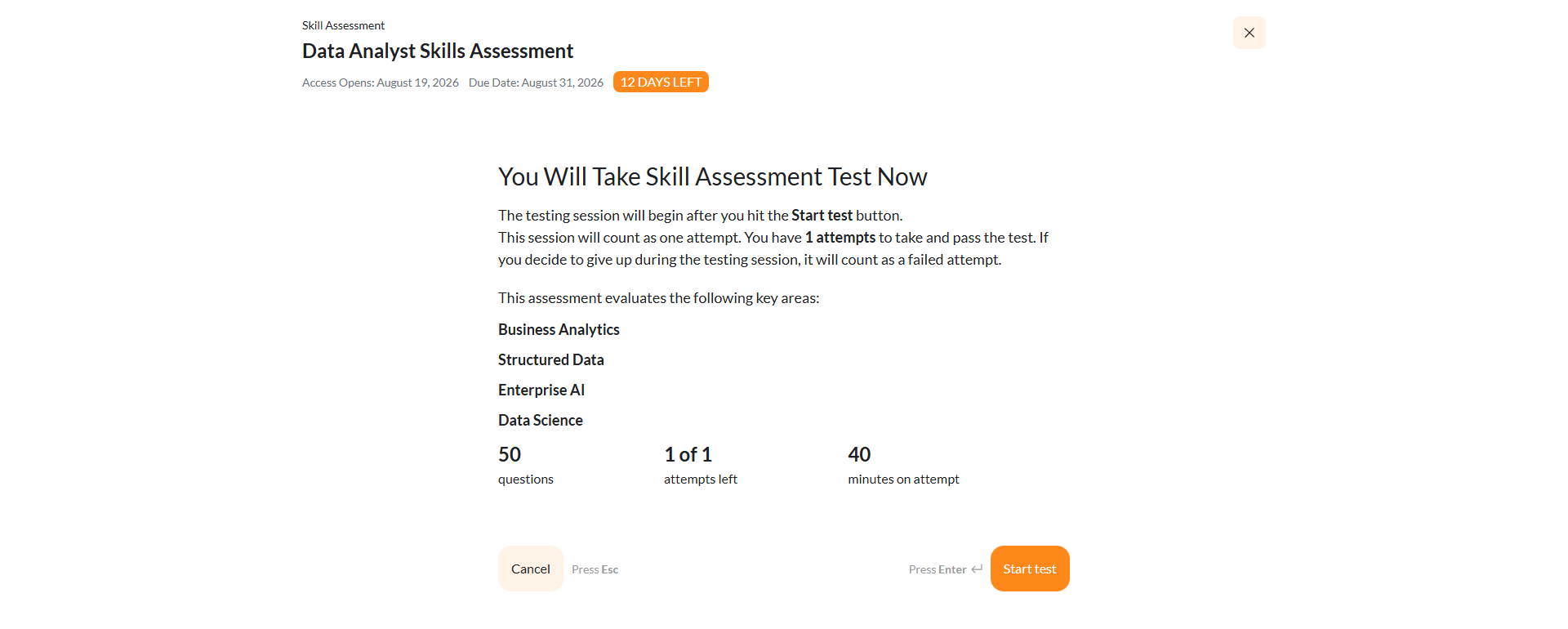
Caption: Open the assessment from My Skills and read the start screen before selecting Start test.
Step 1: Know what uses an attempt
An attempt is consumed when you start a session and it ends, whether or not you finished it. Three things end a session:
- Finishing the quiz and submitting your answers.
- Selecting Give up, which KC Skills confirms with This will count as an attempt on a limited assessment.
- Running out of time, where the assessment is timed.
Note: Abandoning a session is the costly one. If you start an assessment you do not have time to finish, giving up spends an attempt for no score. On a limited assessment, only begin when you can see it through.
Step 2: Take another attempt
If you have attempts remaining, you can run the assessment again from My Skills. Where the quiz offers Retake test at the end of a session, that starts a fresh attempt on the same assessment.
Your new attempt replaces nothing automatically: each run produces its own result, and your skill levels update from what you demonstrate.
Step 3: Understand what happens when attempts run out
On a limited assessment, once your failed attempts are used up, your progress resets rather than leaving you stuck. The start screen tells you this before you begin, so it is never a surprise mid-way.
If you need another chance beyond what the assessment allows, that is an administrator decision. The number of attempts is set on the campaign, so ask whoever assigned it to you.
Step 4: Do not confuse a retake with a reassessment
A retake is you running the same assessment again within your attempt allowance.
A reassessment is different. It is assigned to you separately, after you have completed the training that followed your first result, and it measures the same skills again to see whether the training helped. You do not start one yourself, and it does not consume your original assessment's attempts.
If a new assessment appears for you after finishing a learning path, that is a reassessment rather than another try at the first one.
Conclusion
Check attempts left before you start, and treat the first run as the one that counts on a limited assessment. Giving up or timing out spends an attempt just as finishing does, so begin only when you have a clear stretch of time. If a fresh assessment appears after your training, that is a reassessment, not a retake.