





Summary
A reassessment measures the same skills a second time, after training, so you can show whether the training actually closed the gaps. This article covers when a reassessment can be assigned, who qualifies for it, how to choose the skills and dates, and how to read the change once results come in.
Introduction
The initial assessment tells you where people stood. Training addresses the gaps. The reassessment is what turns that into evidence: it re-measures the same skills and puts the before and after side by side.
This is the last phase of a campaign, and it is for the administrators and program owners who need to report on whether a training program worked. It assumes the campaign has already reached the training phase and that at least one participant has finished their learning path.
Key Concepts
- Initial: The participant's score from the first assessment, before training.
- Reassessment: The score from the second measurement, after training.
- Change: The difference between the two, which is the number that shows whether training moved the needle.
- Eligible: A participant who qualifies for the reassessment. This means they passed their assigned learning path, or they were exempted from training for scoring perfectly the first time.
- Skills to reassess: The subset of the assessment's skills you want measured again. You do not have to repeat all of them.
- Reassessment question bank: A separate set of questions used for the second measurement, generated automatically rather than reusing the initial questions.
Steps to Follow
Accessing the reassessment
Open Campaigns in the left sidebar and select your campaign. The reassessment is offered from the campaign's information panel, shown as Assign Reassessment with a count of how many participants are currently eligible.
Caption: Open Campaigns in the left sidebar and select your campaign.
Step 1: Wait until someone has passed their learning path
The reassessment is not available immediately after training is assigned. Participants have to finish the training first.
Until at least one person qualifies, the action is disabled and KC Skills explains why: At least 1 user must pass their learning path before reassessment can be assigned.
Note: Two groups qualify. Participants who passed their assigned learning path, and participants who were skipped for training because they scored perfectly on the initial assessment. Someone who merely started their learning path, or is partway through it, does not qualify yet.
Step 2: Check how many participants qualify
Open the reassessment panel. KC Skills shows a live count of how many users who completed their learning path will be assigned the reassessment.
Read that number against the size of your campaign. If it is much smaller than you expected, the training is still in progress rather than the reassessment being broken. Waiting longer raises the count.
Step 3: Choose the skills to reassess
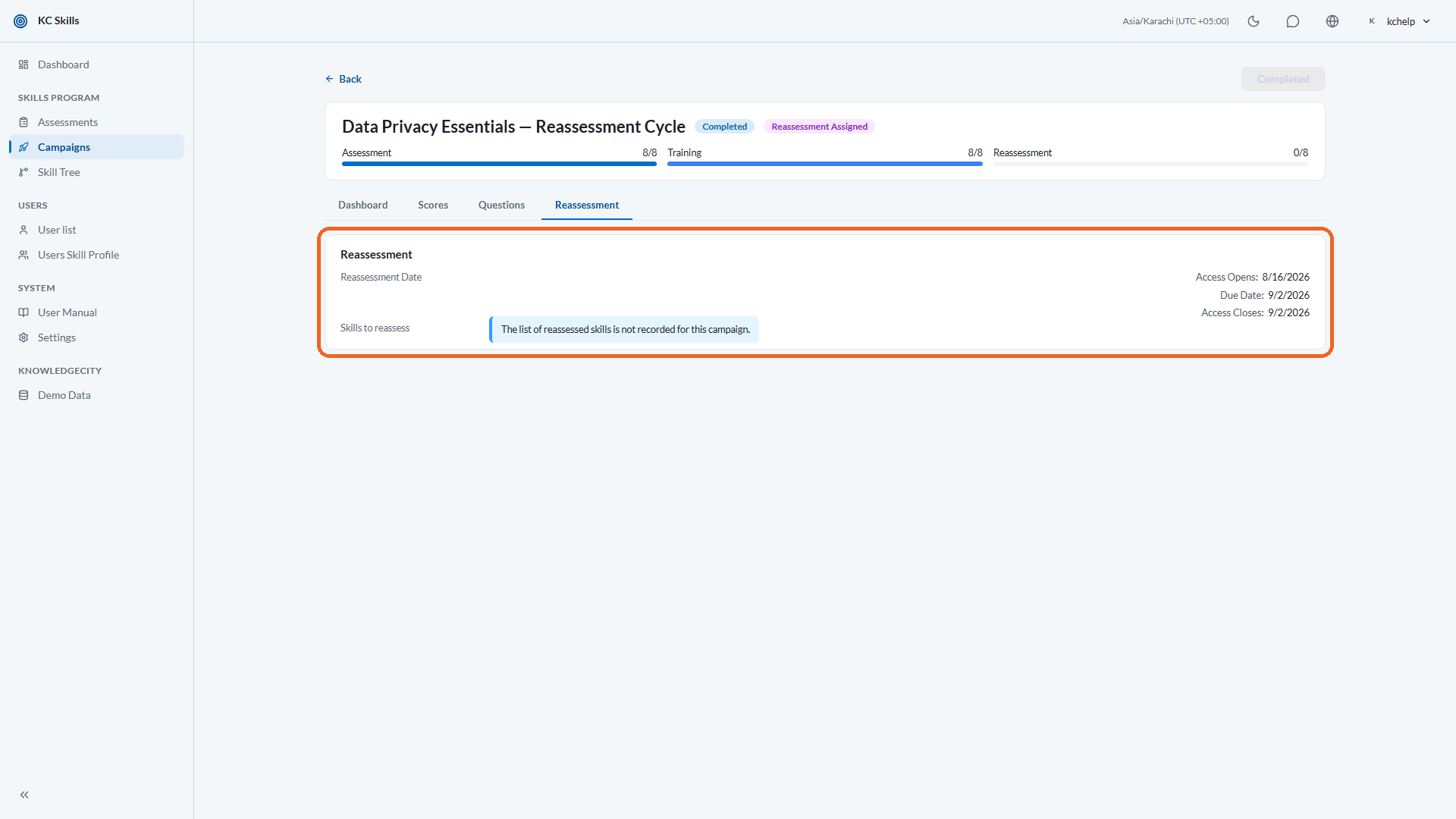
Under Skills to reassess, select which of the assessment's skills you want measured again. Use Select all to take the whole set.
You can narrow this deliberately. If training only targeted a few competencies, reassessing just those keeps the second quiz short and makes the comparison easier to read.
Note: You must select at least one skill. If none of the skills you pick have any reassessment questions, KC Skills warns that nothing would be evaluated, and asks you to add questions or select different skills.
Step 4: Let the questions generate
You do not write a second question bank by hand. Reassessment questions are generated automatically when you move the campaign to the reassessment phase, and generation starts once the initial assessment bank is complete.
The campaign shows progress while this runs, including a translating step where your campaign uses more than one language.
Review the generated questions the same way you reviewed the initial bank. They are a first draft, and the accuracy of the second measurement depends on them just as much as the first.
Step 5: Set the reassessment dates
Set the three dates that frame the second measurement: access open, due date, and access close. All three are required.
They follow the same ordering rule as the initial assessment. Access open must be on or before the due date, and the due date must be on or before access close. KC Skills blocks the assignment and names the problem if the sequence is wrong.
Note: Make sure the access window is open for the period you actually want people taking the quiz. A participant cannot take the reassessment outside that window.
Step 6: Assign the reassessment
Select Assign Reassessment to confirm. Eligible participants are enrolled, and the campaign phase moves to Reassessment Assigned. When the cycle finishes, the campaign moves to Done.
Step 7: Read the change on the Scores tab
Open the campaign's Scores tab. Each skill now carries four values: Initial, Reassessment, Change, and Target, alongside its status.
Change is the column that answers your question. A positive change on the skills you trained is the evidence that the program worked. A skill that barely moved is worth investigating, because it usually means the assigned courses did not match the gap.
You can also read this per person. Open a learner in Users Skill Profile, where the progress bars distinguish Initial, Reassessment, and Target for each skill.
Conclusion
The reassessment is what makes a campaign a measurement rather than an exercise. Wait until people have genuinely passed their training, pick the skills that training targeted, review the generated questions, set a sensible window, then read the Change column. That number is what you take to the people who asked whether the training was worth it.