





Summary
The Documents feature in the Safety App is a single, searchable library that holds every controlled document your safety program relies on. It keeps policies, procedures, and incident artifacts categorized and version controlled, and it links each document to the incidents, investigations, and certifications that depend on it.
Introduction
A safety program runs on its documents. Policies, procedures, SOPs, JSAs, training manuals, equipment logs, and incident evidence are the artifacts that prove your program is real and that a regulator may request at any time. The Documents feature in the Safety App gathers all of these into one central repository so nothing is scattered across disconnected folders or inboxes.
This feature is typically used by safety administrators, investigators, and managers who need to store controlled documents, keep their revisions straight, and connect them to the work they support. When an audit arrives, the Documents library is the binder you hand over: every policy, every signed acknowledgement, and every revision history in one place.
Key Concepts
- Documents library: the central repository that holds every safety document in one searchable place.
- Controlled documents: the artifacts a safety program depends on, including policies, procedures, SOPs, JSAs, training manuals, equipment logs, and incident evidence.
- Categorization: documents are organized into categories so related artifacts stay grouped and easy to find.
- Version control: each document keeps its revision history, so you can see how it has changed over time.
- Signed acknowledgements: records that confirm a document has been read and acknowledged, stored alongside the document.
- Linked records: documents are connected to the incidents, investigations, and certifications that rely on them.
- Documents tab: the tab on the Incident Detail page that holds the formal documents tied to a single incident.
Steps to Follow
Open the Documents library
Navigate to the Safety App and open the Documents page. The page lists every artifact in the library, giving you one place to review and manage your controlled documents.
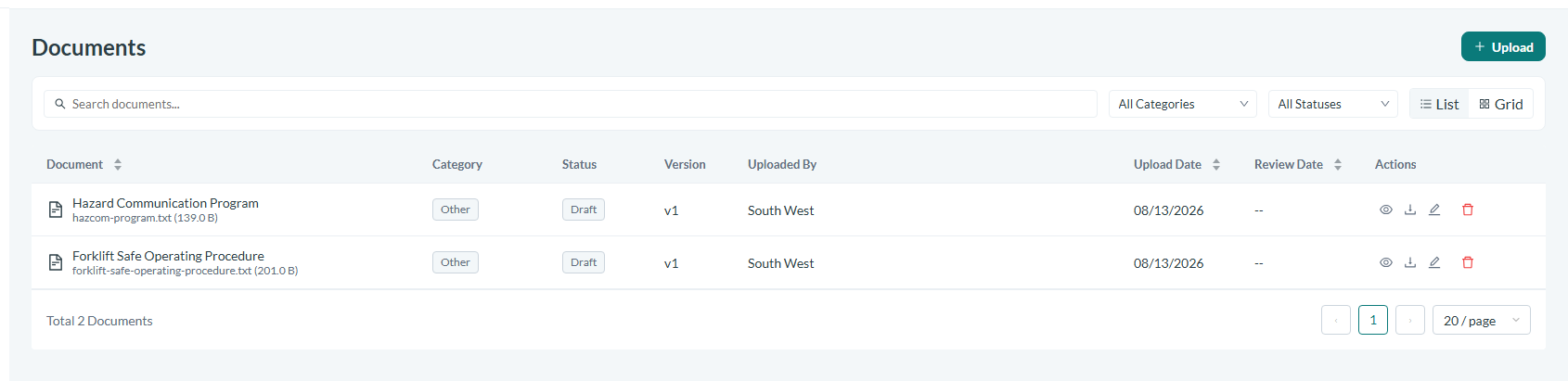
Caption: Navigate to the Safety App and open the Documents page.
Find a document
Because the library is searchable, use it to locate a specific policy, procedure, or piece of incident evidence rather than browsing scattered folders. Categories help you narrow to a related group of documents, such as policies, procedures, or SOPs.
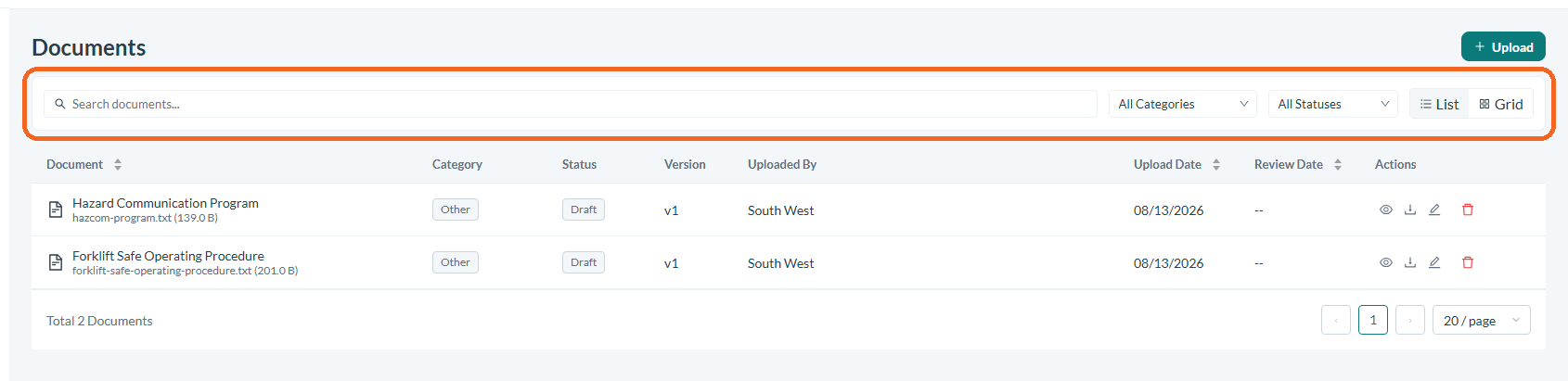
Caption: Because the library is searchable, use it to locate a specific policy, procedure, or piece of incident evidence rather than browsing scattered folders.
Review categories and versions
Each document sits in a category and carries its own version history. Check the revision history to confirm you are working with the current version of a policy or procedure and to see how it has changed over time.

Caption: Each document sits in a category and carries its own version history.
Attach a document to an incident
Open the incident you are working on to reach its Incident Detail page, then select the Documents tab. This tab keeps the formal documents that belong to that single incident together with its other supporting materials, so investigators and reviewers can find them in context.
Link documents to investigations and certifications
Beyond incidents, documents can be linked to the investigations and certifications that depend on them. Keeping these connections in place means a signed acknowledgement or a supporting policy is always traceable back to the record it supports.
Prepare for an audit
When a regulator requests evidence, use the Documents library as your single source. Every policy, signed acknowledgement, and revision history is held together, so you can produce the artifacts an audit calls for without reassembling them from separate systems.
Conclusion
The Documents feature turns a scattered pile of safety paperwork into one organized, searchable, and version-controlled library. By categorizing controlled documents and linking them to the incidents, investigations, and certifications they support, the Safety App keeps your program audit-ready and every artifact easy to find when it matters most.