





Summary
LMS Integration connects the Safety App to the KnowledgeCity LMS so that users, courses, and learning paths stay synchronized between the two systems. It lets a safety event flow through to a training record, keeping your safety program and your learning records aligned in one place.
Introduction
LMS Integration is the bridge between the Safety App and the KnowledgeCity Learning Management System. Rather than tracking safety training in one system and learning records in another, the integration synchronizes the same people and content across both, sharing a common identity layer so a user is the same user everywhere in the KnowledgeCity suite.
This is used by safety and training administrators who need workplace safety to translate directly into tracked, verifiable training. It solves the problem of disconnected records: instead of manually reconciling who was trained on what, the integration keeps course and user data in sync automatically and feeds that data into the Safety App's reporting.
Key Concepts
- User synchronization: The Safety App retrieves user information from the connected LMS so the people in your safety program match the learners in the LMS.
- Course synchronization: Courses and learning paths from the LMS are pulled into the Safety App so safety training draws on the same catalog the LMS delivers.
- Shared identity layer: The Safety App and the LMS share the identity layer beneath them, so a single user identity is used across both products.
- Incident-to-training trigger: When a workplace safety incident is logged in the Safety App, a native trigger creates a mandatory training assignment in the LMS for the affected employees, and the completion logs back as proof.
- Scheduled sync: Synchronization runs as a background process on a schedule, keeping user and course data current without manual updates.
- Reporting: The synchronized LMS data (users, courses, and training assignments) feeds the Safety App's reporting module so training progress is visible alongside safety records.
Steps to Follow
Understanding what the integration syncs
The integration retrieves three kinds of data from the connected LMS:
- The users in your organization, so your safety roster matches your learner roster.
- The courses available in the LMS, so safety training can reference real course content.
- The learning paths defined in the LMS.
You do not manage these records twice. Once the integration is connected, the Safety App fetches this data from the LMS and keeps its own copy aligned.
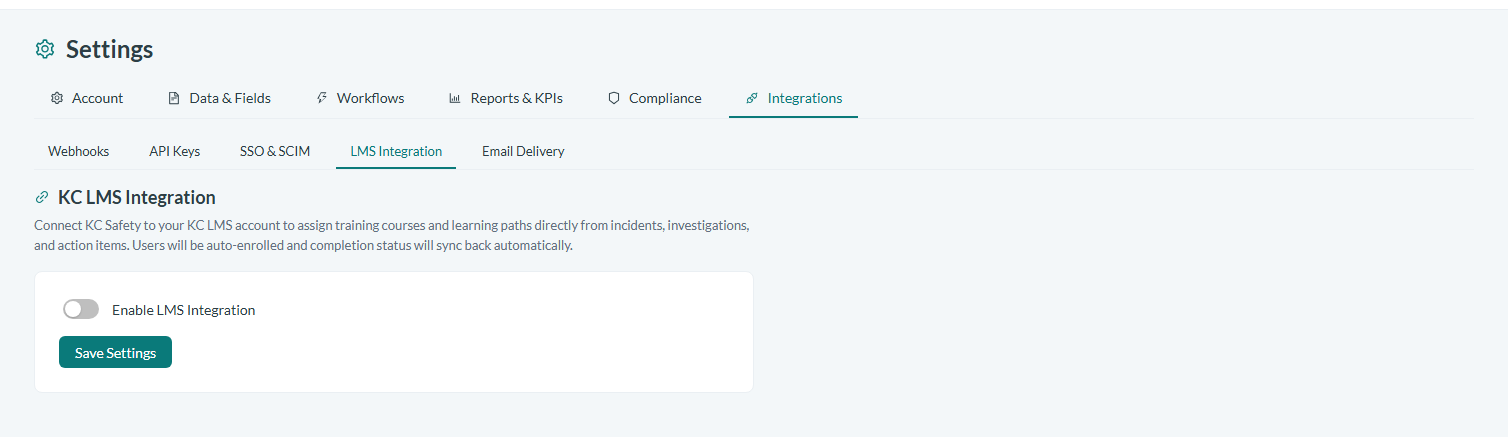
Caption: The LMS Integration settings page, under Settings > Integrations, is where the connection to the KnowledgeCity LMS is enabled.
Keeping data in sync
Synchronization runs as a scheduled background process rather than something you trigger by hand for every change. On each sync cycle, the Safety App refreshes its user and course data against the LMS so that new users, new courses, and updated learning paths are reflected without manual re-entry. Because the sync is scheduled, your safety and learning records stay current between cycles on their own.
Turning a safety incident into training
The integration is what lets a safety event become a learning record. When you log a workplace safety incident in the Safety App, the system natively creates a mandatory training assignment in the KnowledgeCity LMS for the employees affected by that incident. The worker who needs retraining is enrolled automatically, and when they complete the assigned training, that completion is recorded back as proof against the incident. This connection runs server-to-server between the Safety App and the LMS, so no separate export or manual enrollment step is required from you.
Reviewing training in your reports
Because the synchronized users, courses, and training assignments flow into the Safety App's reporting, you can review safety training progress in the same place you review the rest of your safety data. Use your reports to confirm that assigned training tied to incidents has been completed and that your learning records reflect the current state of your safety program.
Conclusion
LMS Integration keeps the Safety App and the KnowledgeCity LMS working from the same set of users, courses, and learning paths, and it turns a logged safety incident into a tracked, completed training record without manual reconciliation. The result is a single, consistent view of who was trained on what, connecting your safety program directly to your learning records.