





Summary
Scheduled Reports let you deliver a saved Safety App report to chosen recipients automatically, on a recurring schedule such as daily, weekly, monthly, or quarterly. Instead of running and sharing the same report by hand each period, you set up the delivery once and the report arrives in the right inboxes on its own. This keeps safety leaders and their teams informed of the latest program data without anyone having to remember to send it.
Introduction
Scheduled Reports build on the reports and dashboards library in the Safety App. Once you have a report configured the way you want it, you can schedule a recurring delivery so it is emailed to your chosen recipients on a regular cadence rather than being run manually each time.
This capability is used mainly by administrators, managers, and safety leaders who need to keep executives and operators up to date on program health. It solves the problem of routine, repetitive reporting: recurring safety data, such as open incidents, overdue actions, and other program metrics, reaches the people who need it on a predictable schedule.
Key Concepts
- Saved report: A report you have configured and saved to the reports and dashboards library. Scheduling a delivery builds on a report you have already set up, so the data and layout are defined before you automate its distribution.
- Recurring delivery: The automated, repeating distribution of a saved report. Rather than running the report yourself each period, the schedule sends it out for you.
- Frequency: How often the report is delivered. Options include daily, weekly, monthly, or quarterly, so you can match the cadence to how often the underlying safety data changes and how often stakeholders need to review it.
- Recipients: The people who receive the scheduled report by email. You choose who is on the distribution so the report reaches the relevant safety leaders, managers, or team members.
- Report content: The data included in the delivered report, which comes from the saved report's configuration. Because Safety App reports can be scoped by filters such as date range, department, and location, the recipients receive a report focused on the records that matter to them.
- Drill-back to source: Every chart, metric, and figure in a Safety App report traces back to the individual incident, investigation, or corrective action that produced it, so recipients can move from a summary number to the underlying record.
Steps to Follow
Prepare the report you want to schedule
Before you schedule a delivery, make sure the report you want to send is configured and saved. Set it up so it shows the data your recipients need, using the available filters such as date range, department, and location to focus the report on the right records. When you save the report, it joins the reports and dashboards library, where it becomes available to share or schedule.
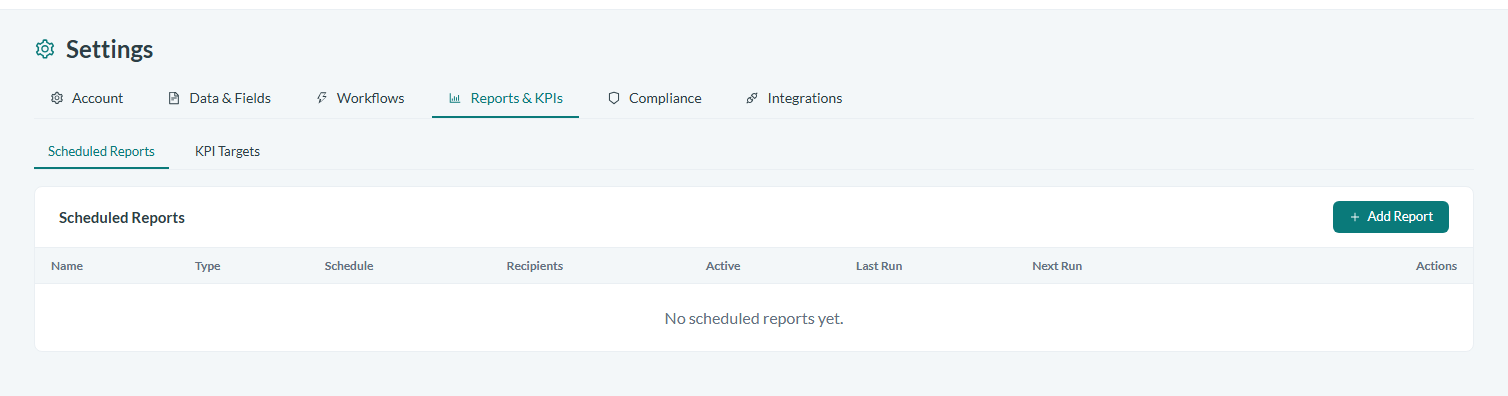
Caption: The Scheduled Reports settings page, under Settings > Reports & KPIs, lists every scheduled report with its schedule, recipients, and last and next run.
Choose to schedule a recurring delivery
From the saved report, choose the option to schedule a recurring delivery rather than a one-time share. This turns the report into an automated, repeating email instead of something you run and send by hand each period.
Set the delivery frequency
Select how often the report should be sent. Choose daily, weekly, monthly, or quarterly based on how frequently the underlying safety data changes and how often your stakeholders need to review it. For example, use a weekly cadence for operational teams tracking open actions, or a quarterly cadence for executive program reviews.
Choose the recipients
Add the people who should receive the report by email. Select the recipients so the report reaches the safety leaders, managers, or team members who rely on that data, keeping the distribution list aligned with who actually needs the information.
Confirm and activate the schedule
Review your choices, the report being sent, the frequency, and the recipients, then confirm the schedule. Once active, the report is delivered automatically to the chosen recipients at the cadence you set, with no further action required from you.
Conclusion
Scheduled Reports turn a saved Safety App report into an automated, recurring email that reaches the right people on a daily, weekly, monthly, or quarterly cadence. By preparing the report, setting the frequency, and choosing the recipients once, you ensure that safety leaders and their teams stay current on program data without anyone having to run and distribute the report manually each period.